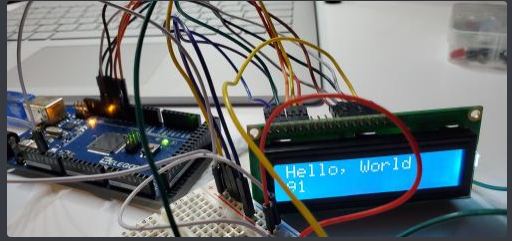
Hello World on the LCD Screen
Oct. 8, 2019, 10:55 p.m.
Erik
// include the library code:

#include <LiquidCrystal.h>
// initialize the library with the numbers of the interface pins
LiquidCrystal lcd(7, 8, 9, 10, 11, 12);void setup() {
// set up the LCD's number of columns and rows:
lcd.begin(16, 2);
// Print a message to the LCD.
lcd.print("Hello, World!");
}void loop() {
// set the cursor to column 0, line 1
// (note: line 1 is the second row, since counting begins with 0):
lcd.setCursor(0, 1);
// print the number of seconds since reset:
lcd.print(millis() / 1000);
}Useful Links:
- https://www.arduino.cc/en/Tutorial/HelloWorld?from=Tutorial.LiquidCrystal